Context Engineering for AI Prompts
A practical guide to building reusable instruction blocks that lock in tone, style, and domain knowledge: then applying them consistently across every prompt.
You've probably noticed that repeating the same instructions over and over doesn't feel efficient. Context engineering solves this by separating how you want to work (tone, style, domain rules) from what you want to do (the specific task).
This is not a new concept: it's a formalization of something expert ChatGPT users already do, but often without realizing it.
What Is Context Engineering?
Think of it like a style guide for your AI work.
Without context engineering:
With context engineering:
Context: "Warm but formal tone. 3-paragraph max. Audience: business stakeholders."
Prompt 1: "Write an email to a client about a project delay."
Prompt 2: "Write an email to a stakeholder requesting budget approval."
Prompt 3: "Write an email to a partner proposing a collaboration."
Same consistent tone across all three, zero repetition. The AI applies the context rules automatically.
Why Context Engineering Matters
1. Consistency without effort
Every response follows the same tone and style rules. You don't have to restate them.
2. Faster iteration
You can test different contexts to see what works best, then lock it in for all future prompts.
3. Knowledge transfer
Team members can adopt your context (e.g., "marketing voice") and get consistent results without learning your style preferences.
4. Multi-domain work
If you switch between roles (marketer, code reviewer, analyst), you can swap contexts instead of rewriting instructions.
5. LLM understanding
Some tasks are easier when the AI understands domain context first. A "code reviewer" context knows to look for security, not style; a "UX writer" context knows to prioritize clarity, not eloquence.
The Three Layers of Context
Effective contexts have three layers:
| Layer | What It Is | Example |
|---|---|---|
| Instructions | High-level rules and principles the AI should follow | "Prioritize clarity over cleverness. Use short sentences. Assume no technical background." |
| Tone | Personality and emotional register | Warm, formal, casual, expert, playful |
| Style Rules | Specific formatting or writing constraints | "Maximum 150 words. Use bullets. No jargon." |
How to Build a Context
Step 1: Identify your role or use case
What do you do most often with an AI?
- Writing (emails, marketing copy, social posts)
- Code review (security, performance, best practices)
- Brainstorming (ideation, naming, positioning)
- Learning (explaining concepts, tutorials)
- Analysis (data interpretation, trend spotting)
Start with one role. Once it's working, you can add more.
Step 2: Write the instructions
What should the AI always remember about this role?
- You are writing for B2B SaaS founders (age 30-50). They are busy and skeptical of hype. Write punchy, benefit-driven copy. Lead with the customer pain, then the solution. No fluff, no exclamation marks, no false scarcity."
Step 3: Define the tone
One word or short phrase that captures the personality.
Step 4: Add style rules
Hard constraints on format or length.
- Maximum 80 words per paragraph. Use 2-3 short sentences, then one longer one. No ALL CAPS. Use em-dashes sparingly."
Step 5: Test it
Apply the context to three different prompts. Does the output feel consistent? Is the tone right? Adjust.
Real Examples
Context 1: Code Reviewer
Instructions:
"You are reviewing pull requests for security, performance, and readability. Point out the 3 most critical issues in order of severity. Suggest a one-line fix if obvious. Be concise: assume the author knows their code."
Tone: Expert, direct, encouraging
Style Rules:
"3 issues max, 1-2 sentences each. Format: Issue | Impact | Fix. No praise."
Context 2: Learning Explainer
Instructions:
"Explain technical concepts to a non-technical audience. Start with a real-world analogy, then the technical definition. End with a practical 'so what' - why does this matter?"
Tone: Friendly, curious, patient
Style Rules:
"Maximum 200 words. Use analogies, not jargon. End with one question the reader might have."
Context 3: Brainstorm Facilitator
Instructions:
"Generate ideas without filtering. Prioritize novelty and user pain over feasibility. Give 10 options, not 3. Then rank them by 'impact ?- effort'."
Tone: Playful, expansive, optimistic
Style Rules:
"Number all ideas. Keep each to one sentence. Rank top 3 by matrix."
Context Engineering for Teams
The real power emerges when a team adopts shared contexts.
Scenario: You've built a "Brand voice" context that captures your company's tone and style. You share it with three teammates. Now they can:
- Write product copy that sounds like it came from you (but they wrote it)
- Generate customer emails that maintain brand consistency
- Create social posts in your voice without templates
The context becomes a force multiplier. New team members can adopt it in 5 minutes instead of learning your style preferences over weeks.
Anti-Patterns: What NOT to Do
?? Don't make the context too long.
If it's more than 200 words, it's too specific. Simplify. Move edge cases to individual prompts.
?? Don't mix multiple roles in one context.
"Code reviewer and marketing copywriter" sounds efficient but creates conflicting instructions. Create separate contexts.
?? Don't make the context so broad it's meaningless.
"Be helpful and clear" applies to everything. Be specific: "Prioritize security over readability."
?? Don't forget to test.
Apply a context to 2-3 prompts before locking it in. Adjust if the tone feels off.
How to Use Contexts in Practice
Workflow 1: Daily work (without a prompt manager)
- Save your context as a note or bookmark
- Paste the context into ChatGPT at the start of your session
- All prompts that follow are automatically contextualized
Workflow 2: With a prompt manager
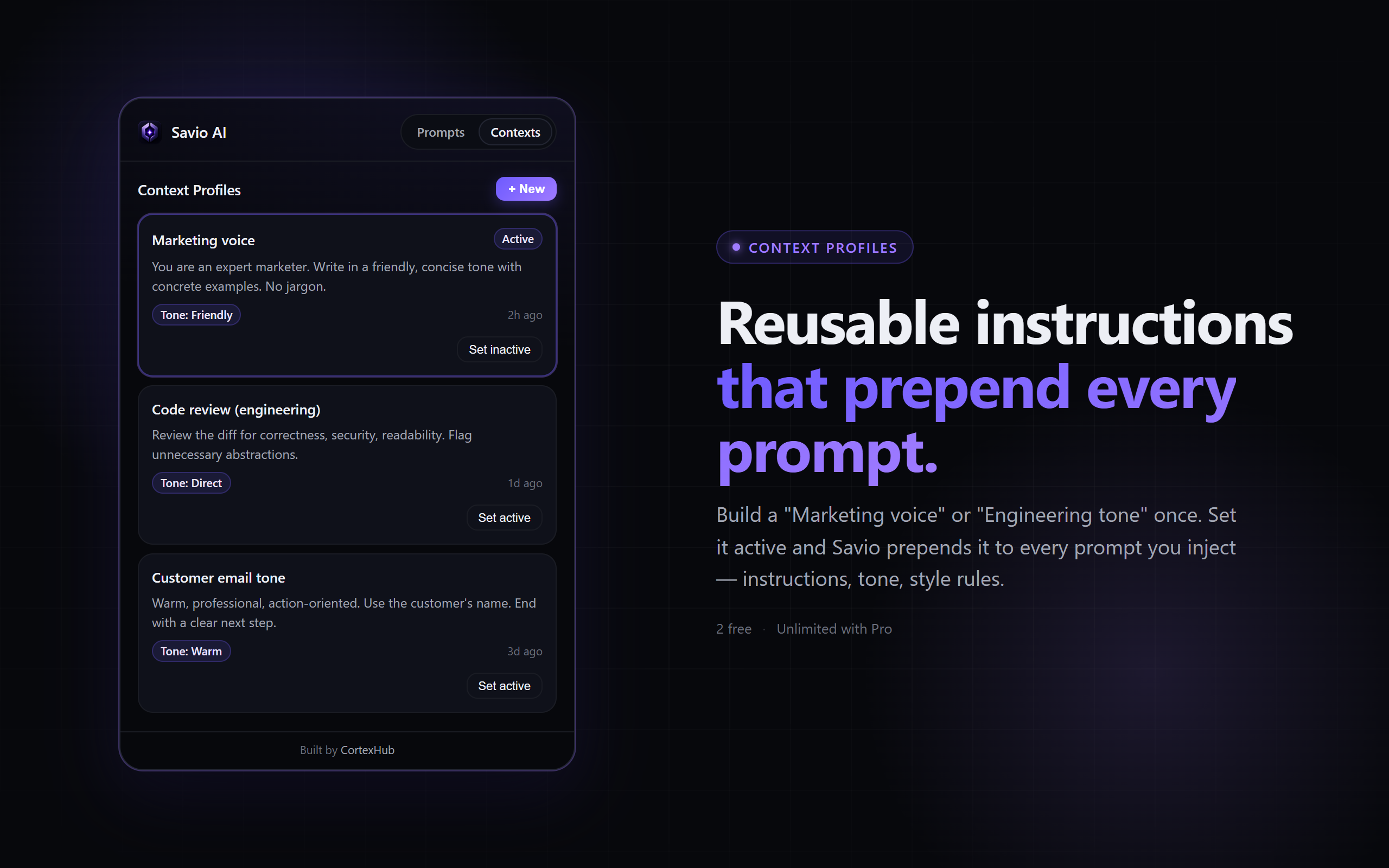
- Create the context once (instructions + tone + style rules)
- Mark it "active" at the start of your session
- Every prompt you save and inject automatically includes that context
- Swap contexts by clicking a button
This is where context engineering becomes truly powerful: you can swap between "marketing voice" and "code reviewer" in one click, and every prompt you inject will be contextualized correctly.
Advanced: Nesting Contexts
Once you're comfortable with one context, you can build meta-contexts: contexts that describe how to modify other contexts.
Example:
Base context: "Marketing copywriter"
Meta-context: "Shorten everything by 50% and make it more playful"
Now you can layer them: base context + meta-context = shorter, playful copy.
This is advanced, but worth exploring once you have 3-5 core contexts working well.
FAQ
Q: How many contexts should I have?
A: Start with 1-2. Add more as you discover distinct roles (marketing, code, learning, analysis). Most people plateau at 5-8.
Q: Can I use context engineering with Claude and Gemini?
A: Yes. The concept is universal. Each AI might respond slightly differently, but the framework is the same.
Q: Does the context need to be perfect?
A: No. Version it. Test, adjust, test again. Contexts improve over time.
Q: What if my context conflicts with the prompt?
A: The prompt (specific request) usually wins. But if you write good prompts within a clear context, conflicts are rare.